
To doodle on your picture :
You can get more creative by drawing on your picture with the Retrica Doodle tool !
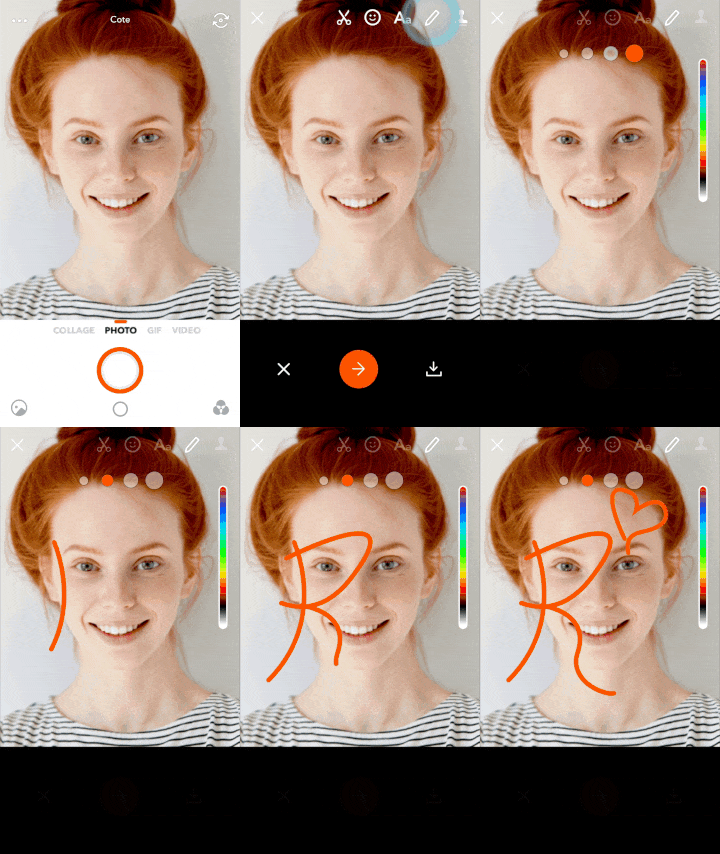
- Take a beautiful picture
- On the review screen, touch the pencil icon

- Unleash your creativeness and imagination!
🤓 Pro Tip 🤓
- You can adjust the color with Color Bar on the right.
- You can choose from 4 different sizes on the top.
- To undo your last move, just press on the revolving arrow that just appeared on the top right corner.
To add text to your pictures :
Add details to your pictures with the text tools !
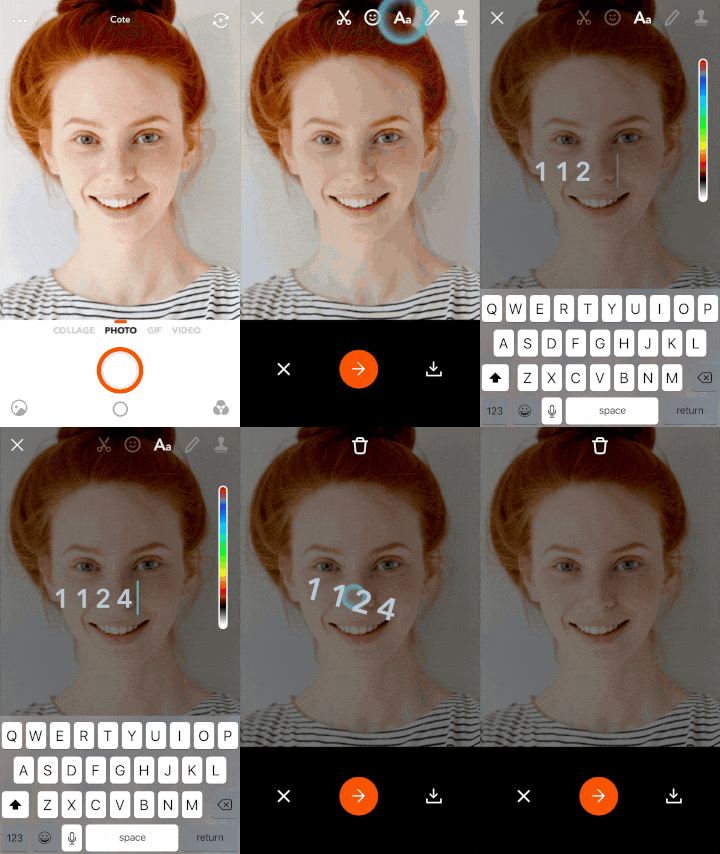
- Take a picture
- On the review screen touch the
 icon
icon - Write your text and click enter or tap anywhere on the screen
- You can resize, move the text anywhere you wish.
0 Comments